Stock transfer
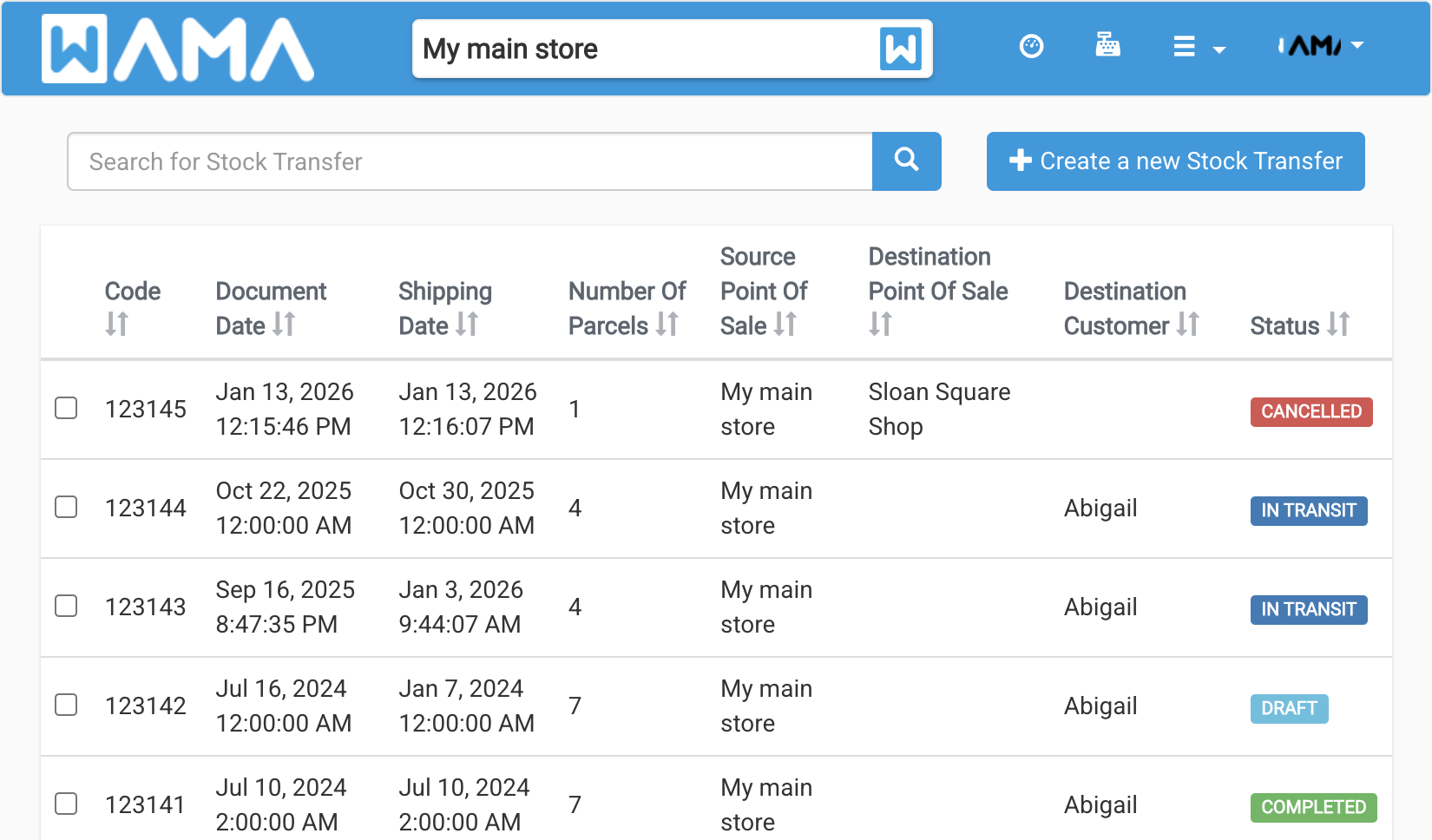
Stock transfer moves products from one warehouse (point of sale) to another, or to a customer. Open it from the user menu: #/stock-transfer.
List and search
The list shows code, dates, source and destination, and status. Use the search box to find a transfer by code or other fields. Select rows to download PDF documents.
Create a transfer
Click Create new Stock Transfer. Set source and destination (another point of sale or a customer), add products and quantities, then save.
Statuses
| Status | Meaning |
|---|---|
| DRAFT | Being prepared; you can still edit lines. |
| IN TRANSIT | Goods have left the source; stock is reserved or moved out. |
| COMPLETED | Transfer finished; stock updated at destination. |
| CANCELLED | Transfer aborted. |
From the detail page you can Start transfer (move to IN TRANSIT), Complete transfer, Cancel transfer, or Edit while still in DRAFT.
Stock transfers can also be linked from stock history when stock moves for a transfer reason.